
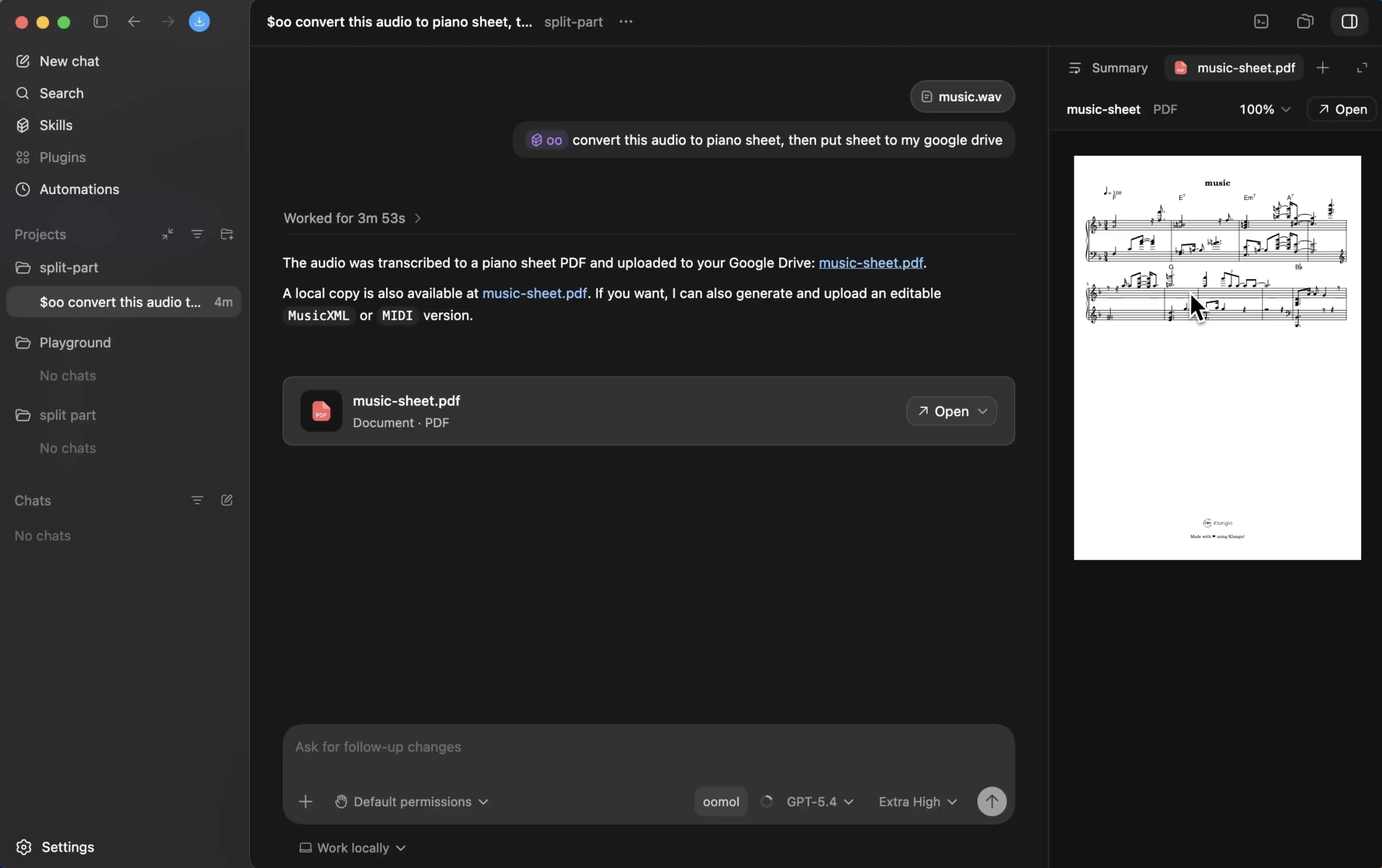
Connect Apps once. Use them everywhere.

Turn Gmail, GitHub, calendars, and drives into one approved connection layer that every agent can use.

Get started

OOMOL is the shared path for agents to use connected Apps, approved Tools, and reusable Skills.

  • Connected Apps
  • Approved Tools
  • Reusable Skills

One connection layer for the agents, Apps, and Tools you use

Codex, Claude, local agents, and open-source agents can call the same connected Apps through OOMOL.

Reuse connections, Tools, and Skills

OOMOL lets agents reuse connected Apps, call built-in Tools, and save proven task paths as Skills.

01

No duplicate connections

Connect Gmail, GitHub, calendars, drives, databases, and internal services once, then let Codex, Claude, local agents, and open-source agents use them.

CodexClaude CodeOpen-source agent
->
OOMOLShared App connections
->
GitHubGmailMore Apps
02

Built-in Tools are ready

After installing oo-cli, agents can call Tools for image generation, video generation, voice generation, and speech-to-text without wiring model APIs first.

oo-cli
->
Text to imageText to videoText to voiceSpeech to text
03

Save the working path as a Skill

When a task works, save the Tool choices, calling order, checks, templates, and output shape so another agent can reuse the same approach.

Tool choicesCalling orderChecksOutput shape
->
SkillReusable method
04

Trusted calls stay traceable

Agents call only approved Apps and Tools. Accounts, permissions, usage, and records stay visible without putting credentials in prompts or project files.

Agent request -> Trust boundary
Approved ToolsPermissionsUsageRecords

How a request runs through OOMOL

Agents discover available Tools through oo-cli. OOMOL handles connections, authorization, execution, records, and reusable Skill paths.

01

Connect Apps and enable built-in Tools

Connect Gmail, GitHub, calendars, drives, and more in OOMOL. After installing oo-cli, agents can also call built-in image, video, voice, and transcription Tools.

02

Agent discovers what it can use

Through oo-cli, the agent sees approved App Tools, built-in Tools, and available Skills without rebuilding integrations per agent.

03

OOMOL checks the boundary before execution

When the agent chooses a Tool, OOMOL checks the connected account, permission scope, and approved action before routing the request.

04

Results and records come back

OOMOL returns files, links, data, or messages to the agent while keeping usage, permissions, and run records visible.

05

Save the working path as a Skill

If the path repeats, save the Tool choices, calling order, checks, templates, and output shape as a Skill that other agents can reuse.

See the same path in real tasks below.

See the path in real tasks

Each scenario shows how agents call connected Apps, built-in Tools, files, and records, then turn repeatable paths into Skills.

request Reporting
# Reporting
Turn analytics data into a Sheets report

Use connected Google Analytics and BigQuery to summarize last week's traffic changes. Write the report to Google Sheets and send the link to Slack.
OOMOL record
  1. Agent -> Google Analytics + BigQuery + Google Sheets + Slack
  2. Approved analytics, Sheets, and messaging actions
  3. Traffic summary, Sheets link, Slack update, and run record
  4. Record: diff summary, channel update, tool log

OOMOL manages Analytics, Sheets, and Slack access, returns the report link, and records the Tool calls.

Approved access across work Apps

Every App is accessed through OOMOL authorization. Passwords and raw tokens stay out of prompts, while links and records stay reviewable.

request Media operations
# Media operations
Add subtitles to a video

Transcribe this video, generate and translate subtitles, then return the captioned video and subtitle file.
OOMOL record
  1. Agent -> built-in transcription, translation, and media Tools
  2. Approved file access and media processing
  3. Subtitle file, captioned video, and reusable Skill candidate
  4. Record: requirement map, created issues, returned links

OOMOL returns the subtitle file, captioned video, and Tool record without per-agent media API setup.

Convenience from built-in APIs

Transcription, translation, and media processing are callable Tools. Once the path works, it can become a Skill.

Where you manage the approved path

Use OOMOL App to review connected accounts, Skills, permissions, usage, and run records.
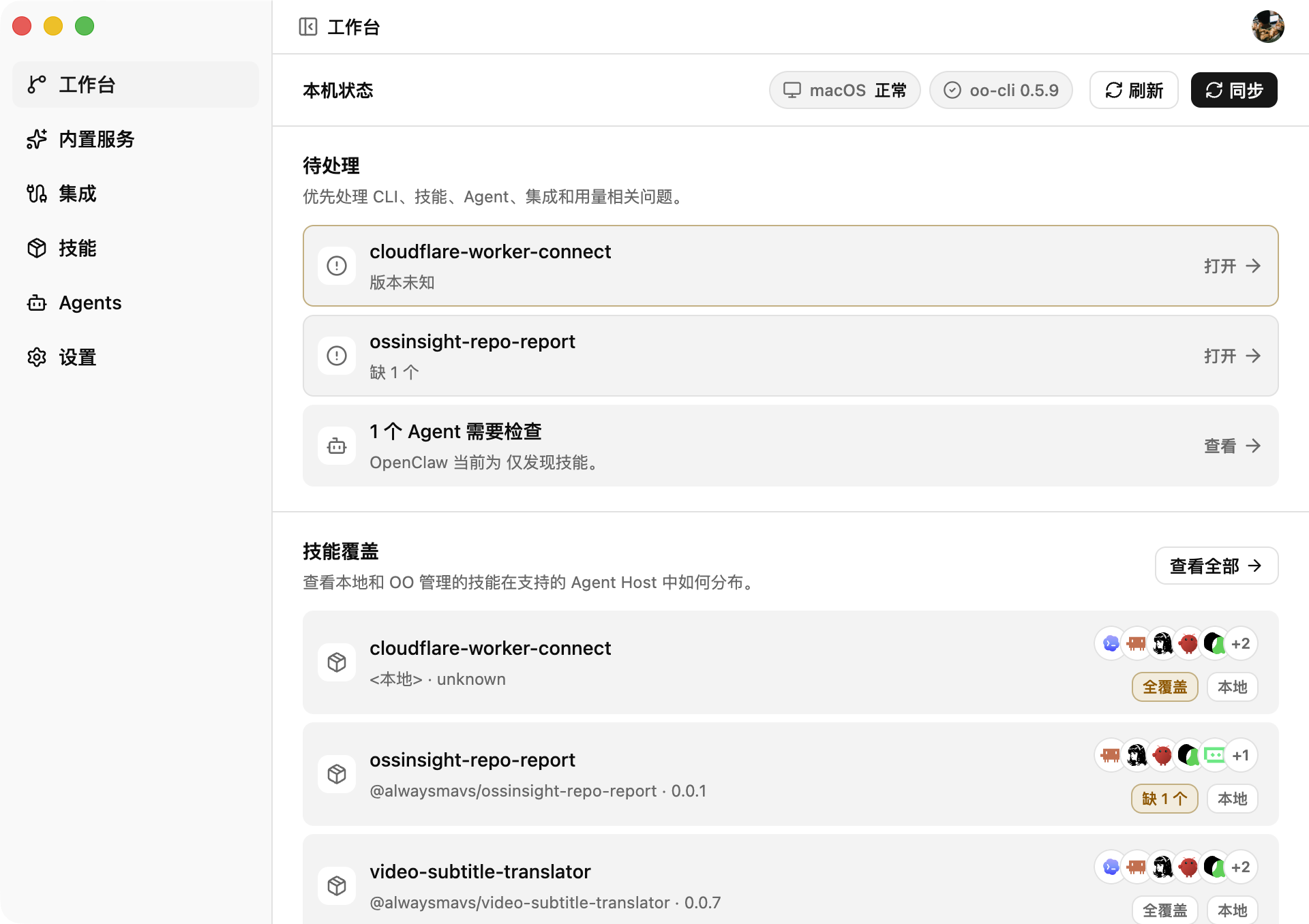
Manage connected Apps and permissions

Review connected accounts, approved actions, permissions, and records without handing credentials to agents.

Manage Skills, runtime, and versions

Check Skill availability, local setup, versions, and the Tools each agent can call.

OOMOL App workspace showing connected Apps, Skills, agents, usage, and settings
  • Review connected App status and permissions
  • Manage Skill versions, availability, and configuration
  • Check agent, version, and local environment status
  • Track API access, usage, and run records

FAQ

Connect Apps, install oo-cli, and let agents call approved Tools and Skills without handling account passwords.

Common questions

What is OOMOL in one sentence?

OOMOL lets agents use connected Apps, built-in Tools, and reusable Skills without receiving account credentials.

Do agents need my account passwords?

No. You authorize App access in OOMOL, and agents call approved Tools without receiving passwords or raw tokens.

What is the difference between Apps, Tools, and Skills?

Apps are connected services. Tools are callable actions from Apps, built-in APIs, or custom services. Skills save Tool choices, instructions, checks, and output shape for reuse.

Which agents can use OOMOL?

OOMOL works with agent environments that can use oo-cli and supported Tool interfaces. OOMOL App shows which Skills and Tools are available.

What if OOMOL does not have the tool I need?

Most teams start with connected Apps, built-in Tools, and published packages. If a required App or action is missing, contact OOMOL so it can be reviewed as a supported capability.

Start with one connected App

Install oo-cli, connect an App, and let agents call approved Tools and Skills.